CX VERSION 1.77
ENHANCEMENTS
The following system-wide enhancements have been made to ConcentrixCX to improve the user experience. These do not require any configuration.
- Metrics View – Conversion to CX 2.0: ConcentrixCX is excited to announce that the “Metrics” view, Key Metrics, Cross-Tab Metrics, etc. is the next view within ConcentrixCX to be fully integrated into the CX 2.0 UI. Users will continue to have the same functionality as before, but the content will now have the “look and feel” of CX 2.0. Specific aspects of this enhancement that users should make note of are as follows:
- The view will now appear full screen when side panels are minimized.
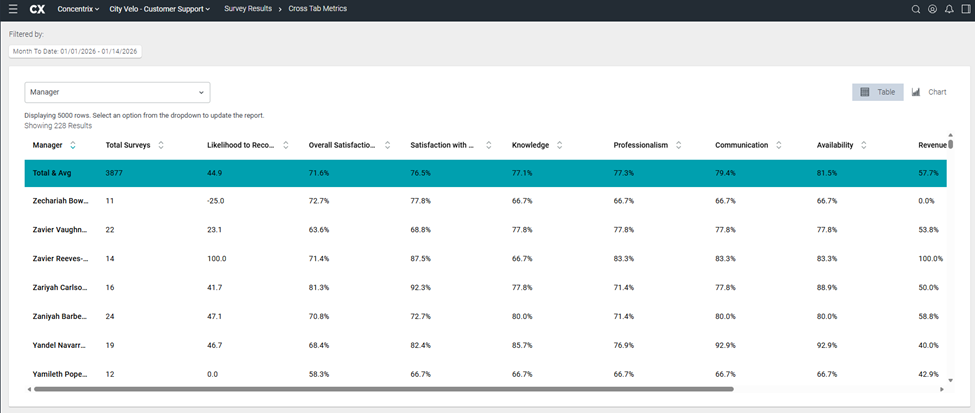
- The view will now appear full screen when side panels are minimized.
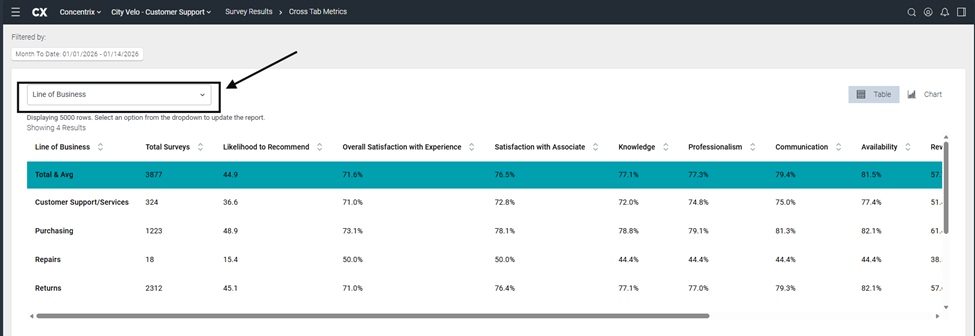
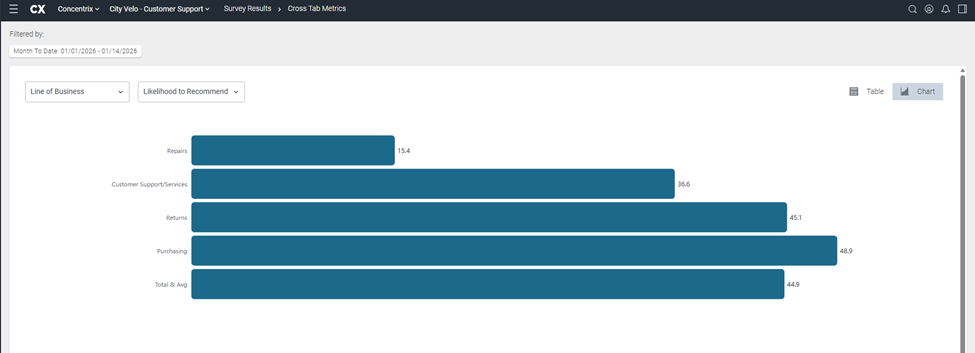
Buttons, headers, etc. have all been updated to reflect the CX 2.0 look and feel – some examples are as follows:
Click dropdown menu to select the desired question.
Select the Chart option to view the data in chart format
Table view:
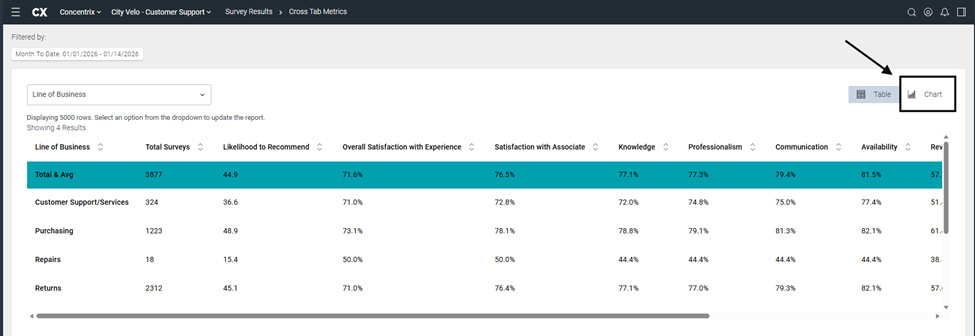
Chart view:
As mentioned previously, all options, functionality, etc. remain intact.
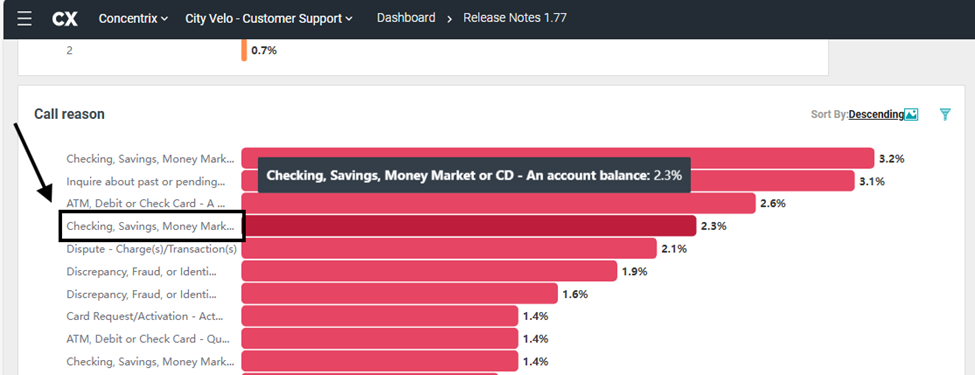
Dashboard Builder Horizontal Bar Chart Type – Labeling Update: Within the Dashboard Builder view, the Horizontal Bar chart labeling has been updated to render as left-justified so that the beginning of each label can be viewed by users. For labels with longer text, users can continue to hover over each horizontal bar to view the full label text.
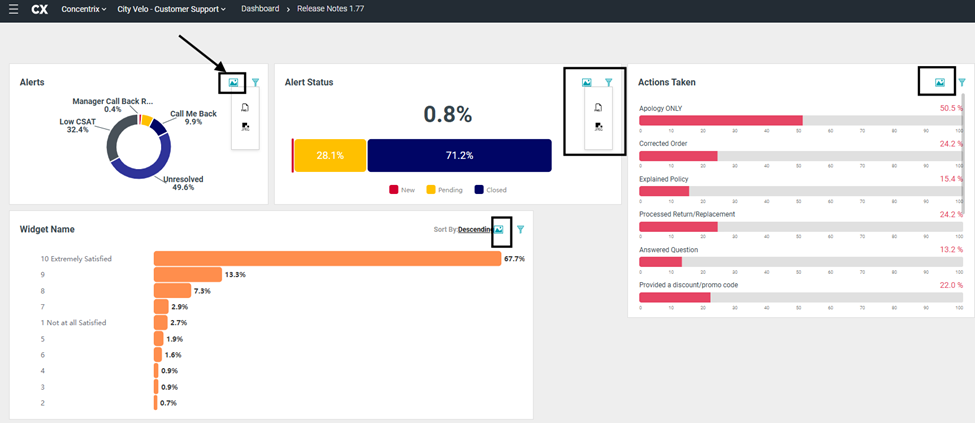
Dashboard Builder – Export a Custom Chart as an Image: Users now have the option to download all chart types within Dashboard Builder as an image – JPEG or PNG file types. Users can select the Image icon to open the dropdown to select their preferred image download option.
BUGS
The following bugs have been resolved. These do not require any configuration.
Favorite Filters - Favorite dropdown consistently showing 'Default View': When selecting the favorite filters, the saved filters were showing on the filter pane and successfully applied but the Favorite dropdown consistently showed 'Default View' before and after applying the favorite filter. This has been addressed, and the dropdown displays the title as expected.
Data Export - Double Quote in Data Fields Causes Errors in CSV File: When exporting a CSV file in the Data Export view, if the field contained a double quote in the value, it shifted the fields and caused the layout of the file to be altered incorrectly. This has been addressed, and double quote characters will no longer improperly shift the orientation of the file.
Quick Date Filter – Default Quick-Date Filter Application: When multiple quick-date filters had the same default range e.g., Month-To-Date and Quarter-To-Date, the filter pane would show the proper selection intermittently. This has been fixed, and regardless of whether multiple quick date filters contain the same date ranges, the selected date filter will display properly in the filter pane.