CX VERSION 1.75
ENHANCEMENTS
The following system-wide enhancements have been made to ConcentrixCX to improve the user experience. These do not require any configuration.
Data Export View: Additional enhancements have been made to the new & improved CX 2.0 Data Export View:
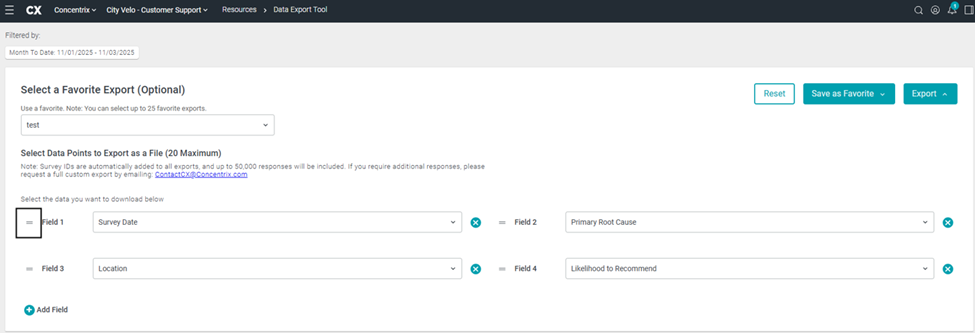
- Reordering Data Fields: Previously, when users would reorder or drag a data field to a new location, it would swap positions with the existing data field. Now, dragging a data field to a specified area will simply shift all existing data fields down by one position.
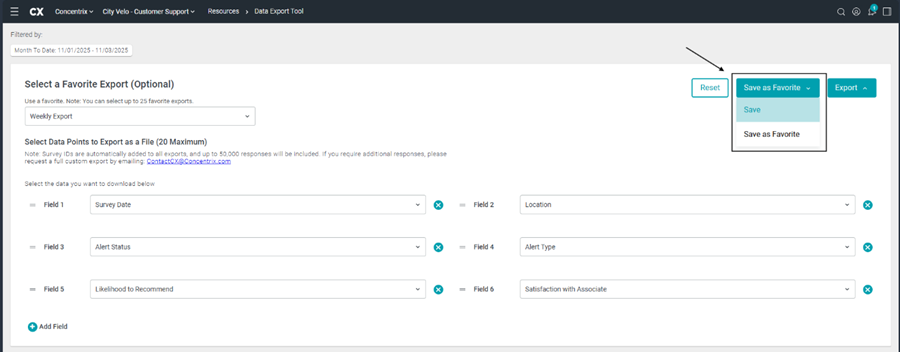
- Users now have the ability to make & save changes to an existing export that was saved as a favorite, which is a brand new enhancement to the view.
- Users can select the desired favorite export from the favorites dropdown, and then add, remove or reorder the data points as they see fit.
- Once these updates have been made, the user can select the “Save as Favorite” drop-down and execute the following workflow:
- Select the “Save” button to save any changes to an existing favorite.
- Select the “Save as Favorite” option to create a new favorite export with the changes made by the user.
- Reordering Data Fields: Previously, when users would reorder or drag a data field to a new location, it would swap positions with the existing data field. Now, dragging a data field to a specified area will simply shift all existing data fields down by one position.
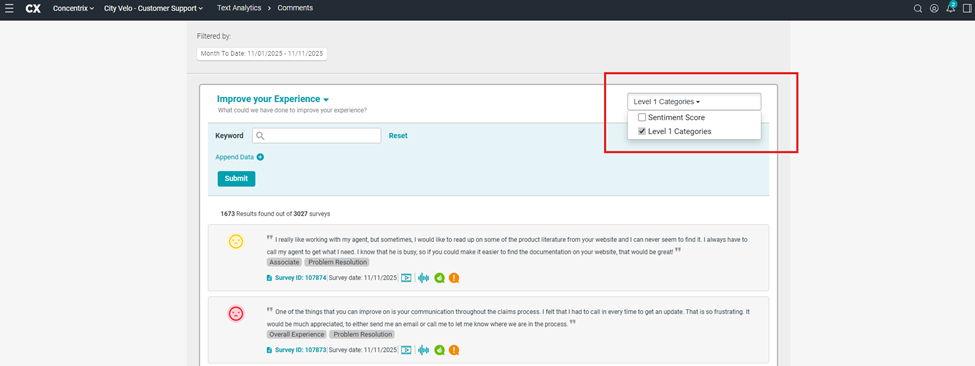
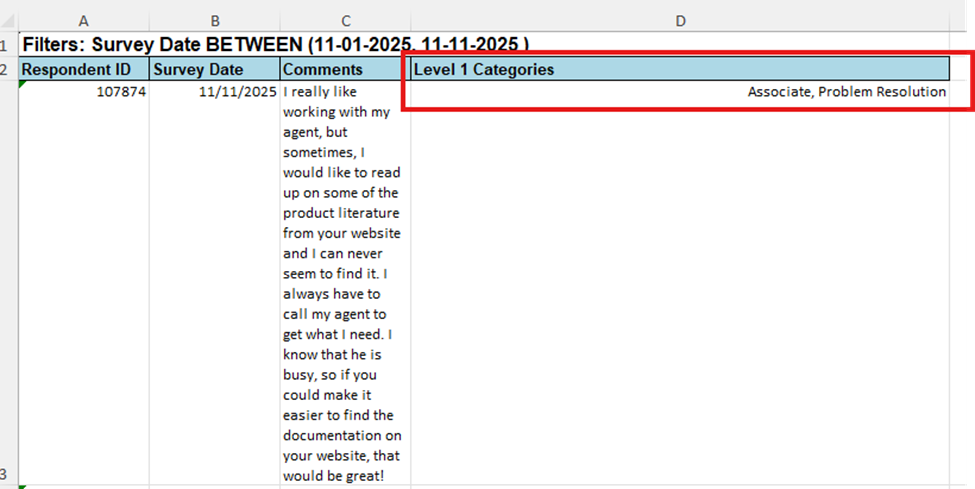
Comments View – Include L1 Categories in Export: Within the comments view, if a specific question has text analytics and the user selects to display the L1 categories on-screen, and then exports the results, the L1 categories will be included in the export.
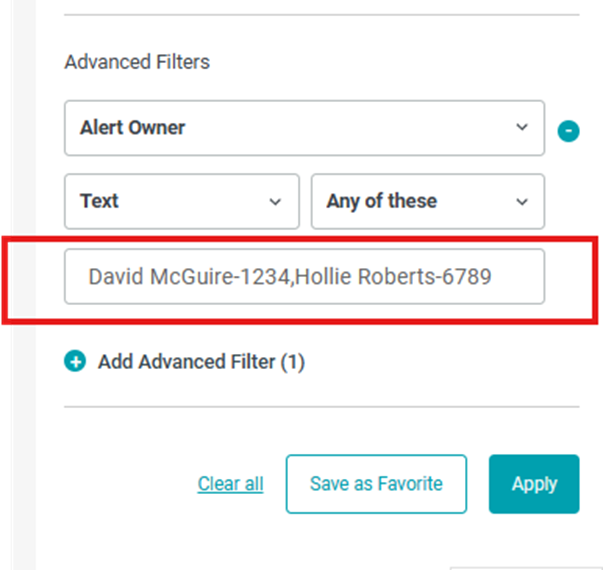
Advanced Filters – Text Field Filtering: For data attributes included in the advanced filters area of the actions & filter panel, users can now successfully filter on multiple values when selecting the “Any of these” option. Simply separate each value with a comma (we will be enhancing this option in the future so that if there are text attributes that have commas in the data string itself, that those will also be accepted):

BUGS
The following bugs have been resolved. These do not require any configuration.
Response by Questions – Calculations Not Appearing: When viewing various questions in the RBQ view that had calculations associated with them, the calculations were oftentimes not appearing initially; users would have to refresh the screen or navigate away from the page, then back, for them to appear. This has been fixed, and the calculations will appear immediately upon initially selecting a question in this view.
Manage Alerts – Survey ID Search Box: For projects utilizing the Manage Alerts view, the survey ID search box was not returning valid results when users would attempt to input a specific survey ID. This has been corrected, and the search function in the Manage Alerts view will work properly now moving forward.
Recurring Schedule Service – Inconsistent Monthly Schedule: Users setting up a recurring schedule that delivered reports on a monthly cadence were experiencing inconsistent end-dates in the schedule, depending on which month the schedule was set to end. This has been fixed, and the monthly schedule will now reflect the proper end date based on what users enter in the schedule modal.